
In many SQL Server environments, performance reviews start in a familiar and reasonable way. DBAs review indexes, check statistics, analyze execution plans, and identify expensive queries. That is not wrong. In fact, it is often the right place to start, and it aligns with the general guidance described in Microsoft’s performance tuning documentation.
The problem begins when this starting point quietly becomes the full scope of the review. I see this quite often in real environments. The tools are correct, the checks are familiar, and the individual findings may even be valid. But the analysis stays too close to the visible SQL Server symptoms instead of asking why those symptoms appear under the current workload.
Why the first findings are not always enough
Over time, SQL Server systems rarely stay the way teams originally designed them. Data volumes grow, business processes change, reporting workloads become heavier, and more users work at the same time. Infrastructure also changes, or other systems start to share the same resources. None of these changes has to be dramatic on its own, but together they can move the system away from the assumptions under which it once performed well.
This is where performance tuning often becomes difficult in real environments. The problem is not always a missing index or a query that needs one more rewrite. In many cases, the more relevant question is whether workload, data growth, concurrency, infrastructure and application behavior still fit together.
Where the investigation usually stops
Indexes, statistics and query tuning are important. They are also accessible, measurable and familiar. That is why they often become the natural boundary of the analysis. After these areas have been reviewed, there is a quiet assumption that the cause must still be somewhere inside them.
That assumption does not always hold. I have seen systems where indexing strategies were broadly reasonable, statistics were maintained, and the most important queries did not show any obvious design flaw. Still, users had slow response times, batch processes became hard to predict, and performance problems appeared mainly under real production load.
In those situations, the team had not simply missed one clearly broken index or one badly written query. The more important point was that the system had evolved beyond the operating conditions those structures were meant to support.
Looking at the wrong layer
At that point, continuing within the same narrow tuning scope becomes less useful. Teams spend more time refining queries, adjusting indexes, or comparing execution plans. Meanwhile, the real limitation may sit in I/O behavior, blocking patterns, workload concurrency, infrastructure pressure, or design decisions that no one revisited as the environment grew.
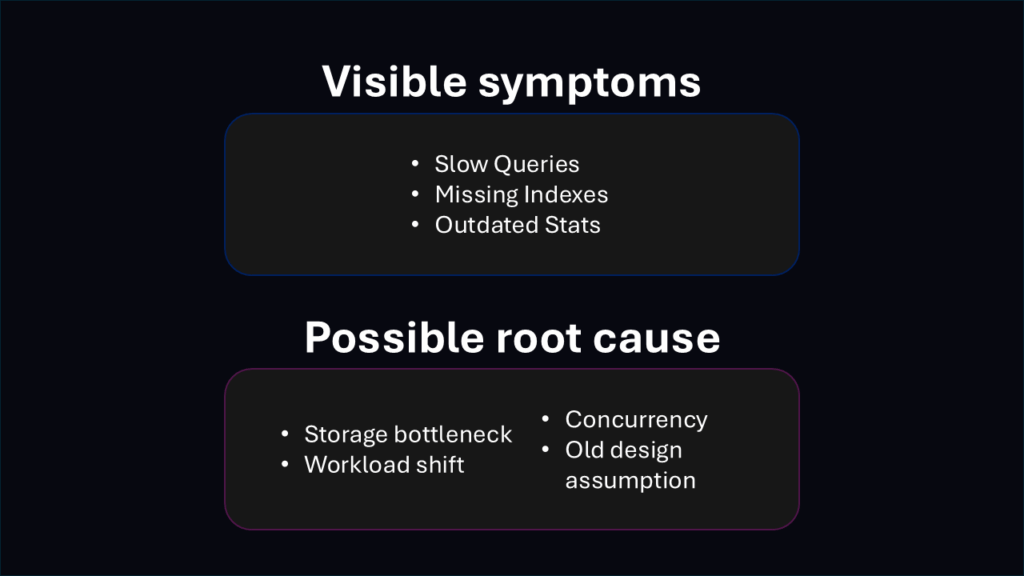
Typical examples are easy to recognize once the view becomes wider. Storage that worked for an earlier workload may no longer keep up with the current access pattern. Concurrency effects often only become visible under normal business load, not during isolated query testing. In shared environments, pressure from other workloads can distort the picture further. Design decisions that worked years ago may also become limiting factors after long-term growth.
In these cases, SQL Server is not necessarily the root cause. It is the place where the symptoms become visible. The database engine has to execute the workload it receives, use the infrastructure it runs on, and work within the design decisions that already exist. If the analysis only stays at query or index level, it can improve individual parts of the system without explaining why the overall behavior remains unstable.
Why context matters more than another tuning cycle
With experience, the approach tends to change. The focus does not move away from indexes, statistics or execution plans. It moves away from treating them as the default explanation for every performance problem. They remain important, but they need context. The key question is how the system is actually used today.
Before making the next change, it often helps to step back. What has changed in the workload? Are the slowdowns tied to specific business processes, times of day, reporting jobs, maintenance windows or concurrent activity? Do waits, I/O behavior, blocking, plan changes and resource usage tell the same story, or do they point in different directions?
This wider view does not replace good tuning practice; it gives it the context it needs. An index change can be valuable, but only if it addresses the actual pressure point. Updated statistics can help, but not if infrastructure latency or workload concurrency causes the main problem. Query tuning remains important, but it cannot make up for a design or operating model that no longer matches how people use the system.
Many SQL Server performance issues remain unresolved because the review stops at the first layer where someone can change something. Local improvements may follow, and sometimes those improvements are enough. But when the same symptoms return, or when performance only improves briefly, it usually means the team has not understood the underlying behavior well enough.
Good performance work in real SQL Server environments is therefore not just about finding the next thing to tune. It is about checking whether the current workload, data volume, infrastructure and design still fit the system that the business operates today. This takes more discipline than applying a familiar fix, but it usually leads to better decisions and more stable performance work.

Comments are closed.